
4 min read
Photo documentation has become a standard expectation in the janitorial industry. Clients want visual proof that work was completed to specification, and photos protect your company when questions arise about service quality. However, inconsistent or poor-quality photos can create more problems than they solve. Training new crew members to take useful, professional photos is an operational necessity that pays dividends in client satisfaction and dispute resolution.
Why Photo Standards Matter
Before diving into training methods, help new employees understand why photo documentation matters. Explain that photos serve multiple purposes: they demonstrate accountability to clients, provide evidence if service disputes arise, help supervisors spot quality issues without site visits, and create a record for billing verification. When crew members understand the purpose, they’re more likely to take the requirement seriously rather than viewing it as busywork.
Establish Clear Photo Requirements
Start by defining exactly what you expect. Vague instructions like “take some photos” lead to inconsistent results. Instead, specify which areas or tasks require documentation, how many photos per location, and what the photo should show. For example, you might require before-and-after shots of high-touch surfaces, wide shots showing entire floor areas, and close-ups of problem areas that needed extra attention.
Create a simple checklist or visual guide showing good versus poor examples. Include basics like adequate lighting, proper focus, and appropriate framing. A photo taken in dim lighting or at an odd angle may technically show the work but fails to communicate professionalism.
Hands-On Practice During Orientation
The most effective training happens during orientation rather than after someone is already working solo. Have new hires practice taking photos during their first supervised shifts. Walk through a sample area together, demonstrating how to capture each required shot. Then have them practice while you observe, offering immediate feedback.
Common mistakes to watch for include photos taken too far away to show detail, images that are too dark or overexposed, shots that include unnecessary clutter or personal items, and angles that don’t clearly show the cleaned surface. Correct these issues in real-time so the employee develops good habits from day one.
Address Common Technical Challenges
Many cleaning employees work early morning or evening shifts in buildings with limited lighting. Teach crew members how to use their phone’s flash effectively and when to turn on additional lights in the space. If your company provides phones or tablets, ensure everyone knows how to adjust basic camera settings.
Also address practical concerns like keeping the camera lens clean—a smudged lens is common when devices are carried in pockets during physical work. A quick wipe on a clean microfiber cloth before taking photos prevents hazy images.
Integrate Photos Into Your Workflow
Photo documentation works best when it’s seamlessly integrated into your existing processes rather than treated as a separate task. Train employees to take photos at natural stopping points during their work—for instance, after completing a restroom or finishing a floor area—rather than trying to remember everything at the end of the shift.
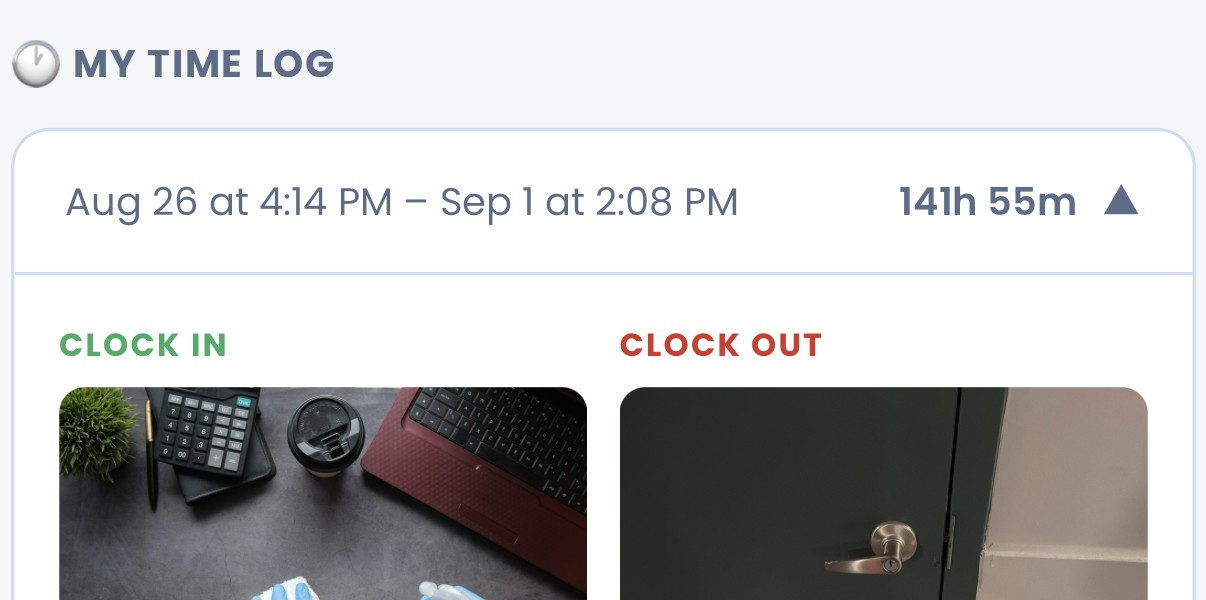
Some companies implement photo check-ins at the start and end of shifts or tie photos directly to task completion within their management systems. This approach ensures consistency and creates timestamped records without relying on memory or discipline alone.
Review and Provide Ongoing Feedback
Training doesn’t end after orientation. Regularly review photos submitted by all crew members, especially newer employees, and provide constructive feedback. Praise good examples and gently correct issues before they become habits. Consider a brief weekly photo review as part of team meetings to reinforce standards.
If you notice recurring problems—like consistently poor lighting from one employee or missing documentation from certain sites—address these individually through retraining rather than assuming the initial instruction was sufficient.
Technology Can Support Your Standards
While training is fundamental, the right tools can reinforce good habits and make documentation easier. Systems like CustodialView include photo check-in features that prompt employees to document their work at specific times and locations, ensuring nothing is forgotten. When photo submission is built directly into the clock-in process or shift workflow, compliance becomes automatic rather than optional.
Consistent photo documentation protects your business, satisfies clients, and provides valuable operational visibility. By investing time in proper training upfront, you’ll establish standards that improve service quality and professionalism across your entire operation.
Ready to give your clients a portal like this?
Live in minutes, no developer required. 14-day free trial, no card required.
Start Free Trial See Pricing
Leave a Reply